
Color Converter
This platform is designed to make your work easier. Efficiency is key in design. Our tool lets you get professional results quickly. Forget about the math and focus on your creativity.




Free Color Converter to Simplify Your Design Process
Managing visual assets can slow down creative work. Our Color Converter makes it easy to change colors without losing detail.
Designers and developers often face challenges keeping visuals consistent. Our online color converter helps keep your digital and print work looking the same.
This platform is designed to make your work easier. Efficiency is key in design. Our tool lets you get professional results quickly. Forget about the math and focus on your creativity.
Key Takeaways
- Streamline your design workflow with a reliable, professional-grade tool.
- Maintain perfect visual consistency across both digital and print media.
- Reduce technical bottlenecks during the asset creation phase.
- Access a fast, user-friendly interface designed for modern developers.
- Simplify complex transformations to save valuable time on every project.
Understanding the Importance of Color in Design
Color is like a secret language in design, speaking to our subconscious. It's a key element that shapes how we see a product or website. By understanding color, designers can connect deeply with their audience.
Emotional Associations with Colors
Each color has its own emotional impact. Warm colors like red and orange make us feel excited or urgent. They're often used in buttons or ads to grab our attention.
Cool tones like blue and green make us feel calm and trustworthy. Banks and healthcare use these colors to look professional and safe. Knowing this helps designers send the right message with color.
How Colors Affect User Experience
Colors do more than look good; they improve how we use things. Bright colors make text easy to read, helping us move through websites smoothly. This makes using digital stuff easier and faster.
Color also helps organize what we see. Using bold colors for important actions and soft colors for details guides our eyes. This makes using digital things feel natural and easy.
The Role of Color in Branding
Color is a key part of a brand's identity. Using the same colors consistently helps people recognize a brand fast. This builds long-term brand loyalty and sets a brand apart.
Brands choose colors that show their values and mission. Whether they want to seem new, classic, or fun, their colors tell us before we read a word. Good color strategy is key for a lasting brand impression.
An Overview of Color Models
Understanding color spaces is key to working with light and pigment. Designers need precise standards to ensure their work looks great everywhere. A reliable color format converter helps connect these complex systems.
RGB vs. CMYK: Key Differences Explained
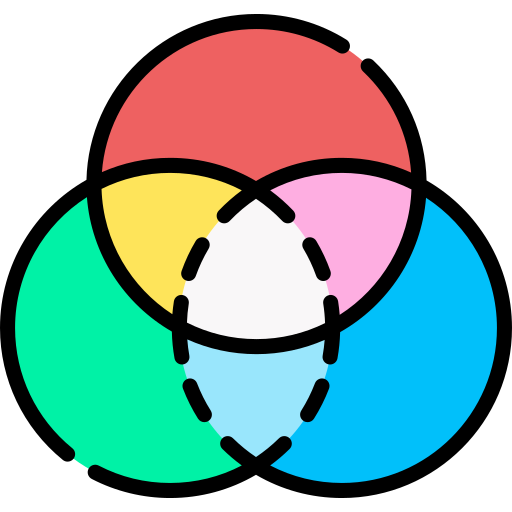
The RGB model is for digital screens, using red, green, and blue light. This additive process creates a wide range of colors. Digital displays use it for everything from website backgrounds to HD video.
CMYK, on the other hand, is for printing. It mixes cyan, magenta, yellow, and black inks to create colors on paper. Knowing this difference is crucial for moving a project from screen to print.
The Importance of HEX Codes
HEX codes are the web's color language, a short way to show RGB values. An HTML color converter is vital for web developers. It helps turn design ideas into working code. Using a color code converter keeps your colors consistent.
"Precision in color representation is the silent foundation of every successful brand identity."
When converting RGB to HEX or adjusting CSS, being accurate is key. These six-digit codes make sure your colors show up right in browsers. That's why HEX is the web design standard.
Exploring HSL and HSV Color Models
HSL and HSV are easier for humans to understand than RGB and HEX. HSL is about Hue, Saturation, and Lightness, while HSV is about Hue, Saturation, and Value. These models let designers tweak colors without changing their core identity.
For HEX to RGB conversions or tweaking palettes, HSL and HSV are better. They help create balanced and natural color schemes. Here's a quick look at what makes these color systems special.
| Model | Primary Use | Nature | Key Advantage |
|---|---|---|---|
| RGB | Digital Screens | Additive | High Vibrancy |
| CMYK | Print Media | Subtractive | Color Accuracy |
| HEX | Web Development | Alphanumeric | Browser Support |
| HSL/HSV | Design Logic | Perceptual | Human Intuition |
Introducing the Color Converter Tool
Precision is key in professional design. Our Color Converter is made for seamless color changes. It's perfect for creative pros who need exact results.
We focus on speed and accuracy. This keeps your design work smooth and efficient.
"Design is not just what it looks like and feels like. Design is how it works."
Key Features of Our Color Converter
Our tool is a strong color picker. It lets you make quick changes and get precise results. It handles tough calculations for you, so you can focus on your ideas.
It's great for digital and print work. Your color palette stays true.
This software is a must-have for today's creators. It makes color changes easy. You get the same shade every time, no matter the medium.
Supported Color Formats
Our color format converter works with many formats. You can use RGB, CMYK, HEX, and HSL. This means you can switch between web and print without losing color quality.
Using a good color code converter helps with screen and print design. It supports many formats, making color management easy. You don't need to use many apps to get the right color.
User-Friendly Interface
We made our online color converter easy for everyone. It has a simple interface that makes conversions quick. The layout is clean and easy to navigate.
This color picker tool saves you time and boosts your productivity. It makes color management easier. Try our Color Converter for a better way to manage colors.
How to Use the Color Converter
Design starts with the right tools and knowing how to use them. Our Color Converter makes your work easier. It keeps your digital stuff looking the same everywhere.
Step-by-Step Guide for Beginners
Starting is easy, no tech skills needed. Just follow these steps for perfect results:
- Input your values: Put in your color data like HEX, RGB, or CMYK codes in the main field.
- Upload your reference: Pick a color from an image file with our integrated Color picker tool.
- Review the output: See your color changes right away in the results section.
Tips for Advanced Users
Experts can do more with our platform. Save your favorite color profiles for quick access. This saves time on big projects.
Also, use batch processing to change many colors at once. This advanced method keeps your designs in sync without manual entry.
Common Mistakes to Avoid
Even pros make mistakes with color formats. One big error is forgetting the color space needed for your final output.
Make sure your color format fits where it's going, like sRGB for the web or CMYK for print. Also, don't just guess with the Color picker tool. Always check the numbers for absolute accuracy.
Practical Applications of Color Conversion
Being good at color consistency is key for designers working in many areas. A good HTML color converter helps keep your vision clear, whether it's for digital or print work. This ensures your brand's look stays the same.
Web Design and Development
Developers often convert colors for CSS styling in web design. The RGB to HEX process is crucial for clean, working code. It helps make websites look the same on all screens.
Graphic Design Projects
Graphic designers work on projects that need to look the same everywhere. Using a HEX to RGB workflow makes it easy to switch colors between web and design software. This seamless transition lets designers be creative without losing color integrity.
Print Design Considerations
For print, like flyers and posters, color profiles and saturation are very important. Digital screens and print use different color models. Accurate conversion is essential to match what you see on your screen with the printed result.
| Application | Primary Format | Key Benefit |
|---|---|---|
| Web Design | HEX | Browser Compatibility |
| Digital Art | RGB | Vibrant Screen Display |
| Print Media | CMYK | Ink Accuracy |
| UI Development | RGBA | Transparency Control |
Real-Life Success Stories
See how experts use our conversion tool to solve tough design problems. Many have made it a part of their daily work. They say it improves efficiency and makes their work better. These stories show how useful a good tool can be.
A Graphic Designer’s Perspective
Sarah Jenkins, a senior art director, used to face issues with color changes. Our converter fixed this, making sure her CMYK and RGB designs match. This seamless transition has saved her team a lot of time.
A Web Developer’s Experience
Marcus Thorne, a front-end developer, values precision in his work. He uses our tool to get the right HEX codes for his CSS stylesheets. Now, he doesn't worry about colors looking different in different browsers.
Testimonials from Satisfied Users
More and more creators are joining our community. They love how fast our tool works. It lets them focus on being creative, not stuck on technical stuff.
- "The accuracy of this tool is unmatched in my daily workflow." — Creative Lead
- "I no longer worry about color profile mismatches." — Freelance Designer
- "A must-have utility for any professional developer." — UI/UX Specialist
Here's a table showing what our users say about our tool:
| Professional Role | Primary Benefit | Impact on Workflow |
|---|---|---|
| Graphic Designer | Print Accuracy | Reduced Revisions |
| Web Developer | CSS Integration | Faster Coding |
| UI/UX Designer | Color Consistency | Improved User Experience |
Frequently Asked Questions (FAQs)
We know using new software can be tricky. We've got answers to help you use our platform smoothly for your design projects.
What Formats Does the Color Converter Support?
Our tool works with many file types. You can upload and process JPG, PNG, and PDF files without losing quality.
This means you can easily switch between different design tasks. Whether it's for web or print, your colors stay true.
How Accurate is the Color Conversion?
Our tech is all about precision. We use advanced algorithms to ensure colors are matched with high fidelity.
So, you can trust the output will be just as you imagined. This helps keep your brand consistent everywhere.
Is the Tool Compatible with Mobile Devices?
We know designers often work on the move. Our platform works great on mobile devices, so you can convert colors quickly from your phone or tablet.
You'll get the same powerful features on mobile as on your computer. This means you can keep creating, no matter where you are.
| Feature Category | Supported Capability | User Benefit |
|---|---|---|
| File Formats | JPG, PNG, PDF | Broad compatibility |
| Device Access | Mobile & Desktop | Work from anywhere |
| Conversion Logic | High-Precision Math | Reliable color output |
Additional Resources for Designers
Improving your design skills starts with the right learning materials and networks. Continuous learning is key for creative pros who aim to lead. These resources help you grow your technical skills and artistic view.
Recommended Reading on Color Theory
Books are a solid way to grasp color science. They offer a foundational understanding that digital guides sometimes miss. Start with Josef Albers’ Interaction of Color, a top pick for color theory.
Online Courses about Color Usage
Online learning suits those who like structure. These courses are designed for all skill levels. They include interactive tasks that link theory to practice. Sites like Coursera and Skillshare offer classes by experts in color psychology and accessibility.
Design Communities to Join
Connecting with others is crucial for growth and inspiration. Forums offer feedback and trend insights. Join Dribbble or Behance to share your work and learn from others.
| Resource Type | Primary Benefit | Best For | Accessibility |
|---|---|---|---|
| Academic Books | Deep Theoretical Knowledge | Serious Students | High |
| Online Courses | Guided Skill Development | Career Switchers | Medium |
| Design Forums | Peer Networking | Active Professionals | High |
Conclusion and Call to Action
Mastering color precision makes your digital projects shine. Our tool helps you keep your brand consistent everywhere. It's easy to use and accurate.
Unlock Efficiency Today
Using this converter saves you time in design. It lets you focus on creativity while it handles the tech stuff. Start using it today to improve your designs.
Share Your Experience
Your feedback helps us make our tools better. We want to know how this tool works for you. Share your thoughts to help us improve.
Stay Informed
We add new features often to meet your needs. Follow our updates to get the latest. Keep your designs looking great by staying with us.